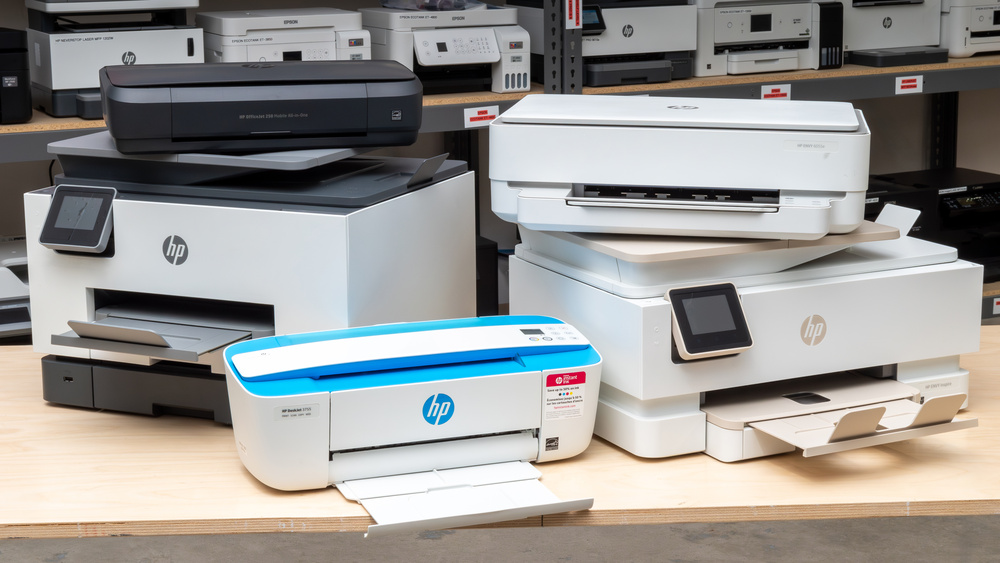
Multi-Brand Printer Fleet Management: Best Practices for IT Teams
Most enterprise environments operate heterogeneous printer fleets with devices from multiple manufacturers including HP, Canon, Epson, Brother, Xerox, and Ricoh. Managing printers from different vendors requires standardized approaches to driver deployment, firmware management, and monitoring to ensure consistency and efficiency across diverse hardware platforms.
Understanding Multi-Brand Fleet Challenges
Common Management Issues
- Driver Inconsistency: Different drivers for each manufacturer create deployment complexity
- Firmware Variations: Update procedures differ across manufacturers
- Feature Fragmentation: Capabilities vary between brands and models
- Support Complexity: Multiple vendor support channels and processes
- Cost Management: Tracking supplies and maintenance across brands
- User Experience: Inconsistent interfaces across different printer brands
Standardized Driver Deployment
Universal Driver Strategy
Implement universal drivers to simplify deployment:
- HP Universal Print Driver: Supports most HP and compatible printers
- Canon UFR II Printer Driver: Unified driver for Canon devices
- Epson Universal Print Driver: Covers Epson printer range
- Brother Universal Printer Driver: Standardizes Brother deployments
- Xerox Global Print Driver: Supports Xerox multifunction devices
- Ricoh Unified Driver: Manages Ricoh printer fleet
Deployment Methods
- Group Policy Deployment: Push drivers via Active Directory GPOs
- Print Server Installation: Pre-install drivers on print servers
- Cloud Print Solutions: Use cloud platforms for driver management
- Configuration Management: Deploy via SCCM or Intune
- User Self-Service: Allow users to install from portal
Firmware Management Across Brands
Firmware Update Strategy
Establish consistent firmware management procedures:
- Centralized Tracking: Maintain inventory of firmware versions by model
- Staged Rollout: Test updates on pilot printers before full deployment
- Automated Updates: Use management tools to push firmware updates
- Rollback Procedures: Document procedures to revert problematic updates
- Change Documentation: Track all firmware changes and dates
- Vendor Monitoring: Subscribe to manufacturer security bulletins
Manufacturer-Specific Considerations
| Manufacturer | Update Method | Frequency | Key Considerations |
|---|---|---|---|
| HP | Web Interface / HP FutureSmart | Monthly | Supports automated updates; test in staging |
| Canon | Web Interface / Canon MEAP | Quarterly | MEAP platform for enterprise management |
| Epson | Web Interface / Epson Device Admin | Quarterly | Limited automated update capabilities |
| Brother | Web Interface / BRAdmin Light | Semi-Annually | Smaller firmware updates; stable releases |
| Xerox | Web Interface / Xerox CentreWare | Monthly | CentreWare for centralized management |
| Ricoh | Web Interface / Ricoh Device Manager | Quarterly | Device Manager for fleet management |
Standardized Configuration Management
Configuration Best Practices
- Define Standards: Create baseline configurations for each printer model
- Network Settings: Standardize IP addressing, DNS, and DHCP settings
- Authentication: Configure LDAP/Active Directory integration consistently
- Print Policies: Apply consistent print policies across brands
- Security Settings: Enforce uniform security configurations
- Notification Settings: Configure alerts for supplies and errors
Configuration Templates
Create and maintain configuration templates for each printer model:
- Document baseline settings for each manufacturer
- Include network, security, and feature configurations
- Version control templates for change tracking
- Test templates before deployment to production
- Update templates when new firmware versions are released
Supplies and Consumables Management
Standardized Supplies Strategy
- Inventory Tracking: Monitor toner, ink, and paper supplies
- Automatic Ordering: Set up automatic supply reordering
- Cost Allocation: Track supplies costs by department
- Vendor Relationships: Establish preferred supplier agreements
- Compatibility Verification: Ensure supplies are compatible with printers
- Waste Reduction: Monitor and reduce supply waste
Consumables Tracking
Implement monitoring for:
- Toner and ink cartridge levels
- Maintenance kit usage and replacement
- Paper consumption and types
- Fuser and drum unit status
- Waste toner container levels
Monitoring and Maintenance
Fleet Monitoring Strategy
- Centralized Monitoring: Use management platform for all brands
- Health Monitoring: Track printer status and error conditions
- Usage Analytics: Monitor print volumes and patterns
- Performance Metrics: Track job completion rates and speed
- Proactive Alerts: Alert on supply levels and maintenance needs
- Predictive Maintenance: Identify printers needing service
Maintenance Scheduling
Establish regular maintenance schedules:
- Weekly: Check supply levels and error conditions
- Monthly: Review usage reports and performance metrics
- Quarterly: Conduct firmware updates and security patches
- Semi-Annually: Perform preventive maintenance on high-use printers
- Annually: Comprehensive fleet audit and optimization
User Training and Support
Standardized User Training
- Develop training materials covering common tasks
- Create quick-reference guides for each printer type
- Provide video tutorials for complex functions
- Establish help desk procedures for printer issues
- Document troubleshooting steps for common problems
Support Structure
- Tier 1 Support: Help desk for basic user issues
- Tier 2 Support: Technical team for driver and configuration issues
- Tier 3 Support: Vendor support for hardware failures
- Escalation Procedures: Clear paths for complex issues
- Knowledge Base: Centralized documentation of solutions
Cost Optimization
Fleet Optimization Strategies
- Consolidation: Reduce number of printer models to simplify management
- Right-Sizing: Match printer capabilities to actual user needs
- Utilization Analysis: Identify and remove underutilized printers
- Lease vs. Buy: Evaluate cost-benefit of leasing vs. purchasing
- Energy Efficiency: Replace high-power-consumption devices
- Managed Print Services: Consider outsourced fleet management
Conclusion
Managing multi-brand printer fleets requires standardized approaches to driver deployment, firmware management, configuration, and monitoring. By implementing the best practices outlined in this guide, IT teams can effectively manage diverse printer environments while reducing complexity, improving reliability, and optimizing costs.
The key to successful multi-brand fleet management is establishing consistent standards, automating routine tasks, and maintaining comprehensive documentation of configurations and procedures.
Need Multi-Brand Fleet Management Support?
Avenqube LLC provides expert consulting for multi-brand printer fleet management, standardization, and optimization.
Contact Our Team